
Audit Overview
Your store's untapped revenue potential — and how to unlock it
Why We Created This Audit
We analyzed https://solawave.co the same way we've audited 350+ e-commerce stores — looking for the specific gaps between your current experience and what top-performing Beauty & Personal Care stores deliver. Every finding in this report is a revenue opportunity backed by industry data and competitive benchmarks.
What We Analyzed
- UX & Conversion Design14 findings
- Performance & Speedvs 3 competitors
- Technology & App StackPlatform + 12 apps
- Industry BenchmarksBeauty & Personal Care
Pages Analyzed
- Homepage3 findings
- Collection Pages4 findings
- Product Pages (PDP)4 findings
- Cart & Checkout3 findings
 This audit was prepared by Growisto — a CRO-led Website development team behind 167% conversion growth for Atomberg, 46% CR lift for TyresNmore, and 350+ e-commerce projects.
UX & Conversion Findings
Page-by-page analysis with visual comparisons against top Beauty & Personal Care stores
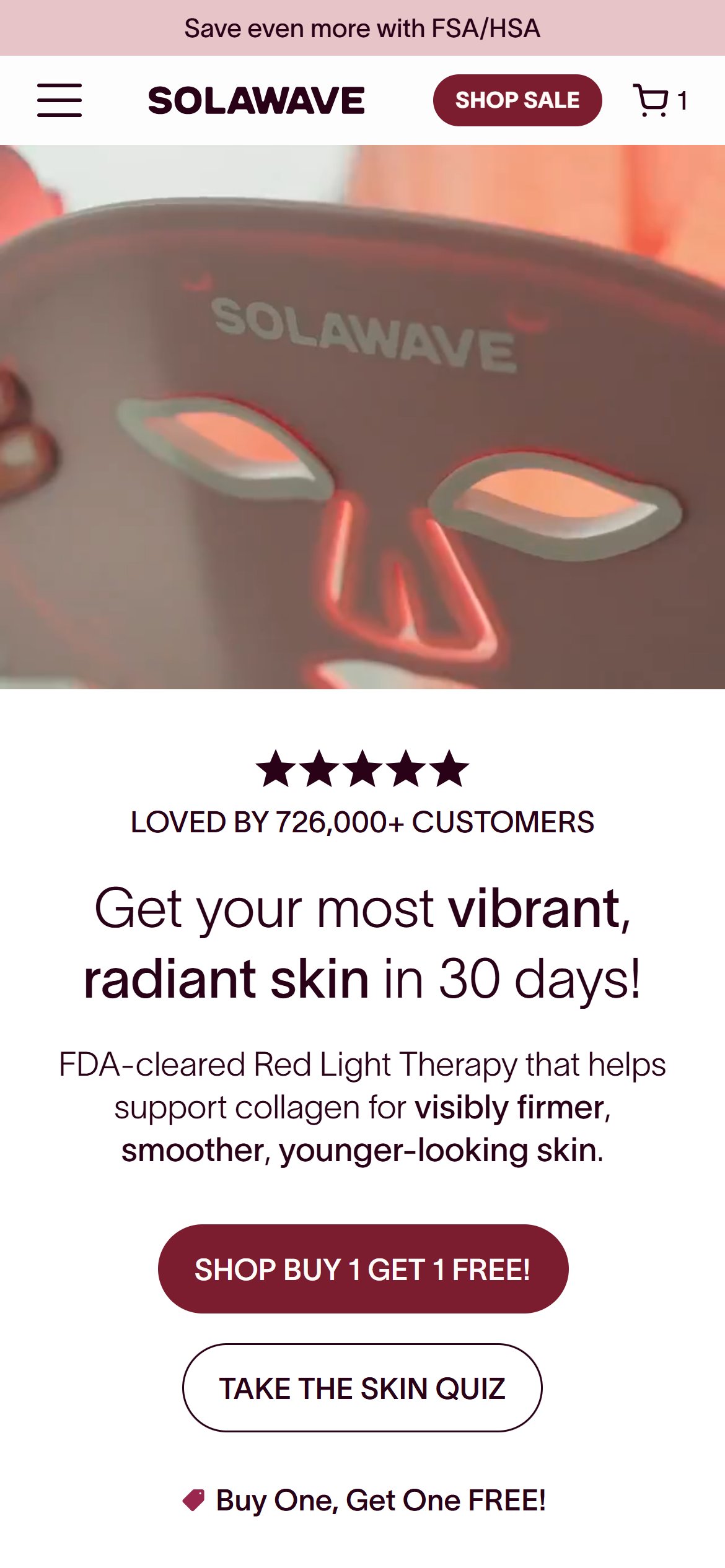
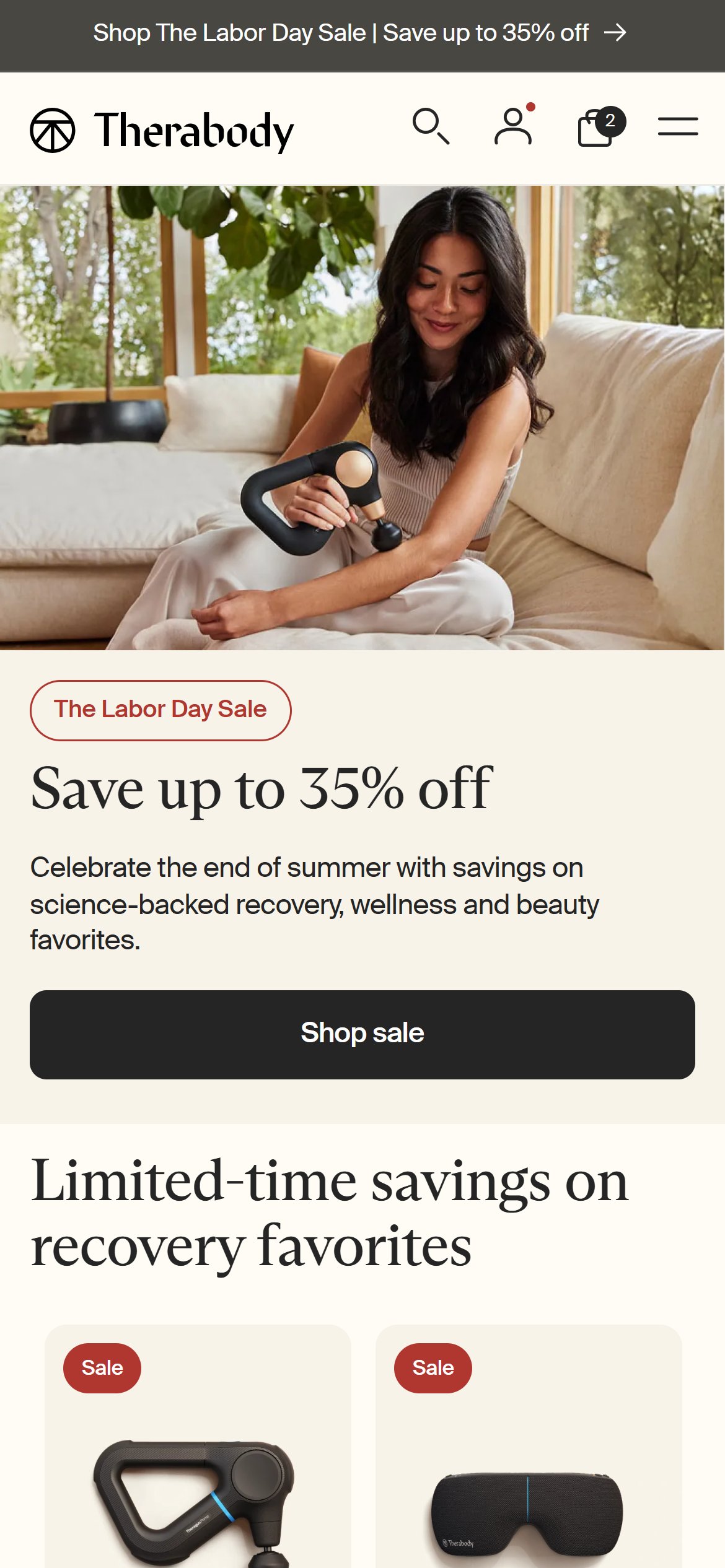
- The mobile header carries only a hamburger icon, the logo, a 'SHOP SALE' button, and the cart icon — there is no search input field and no search icon anywhere in the DOM.
- The hamburger menu (see the Category Navigation finding) also has no search field inside it, so there is no way to search the catalogue from any header state.
- With 15 SKUs split across devices and topicals, a shopper who already knows the product name (e.g. from a friend's recommendation or an ad) has no fast path to it and must browse or scroll instead.
- Add a search icon to the header that opens a lightweight search overlay with product name/type predictive results.
- Prioritize surfacing the 2 hero devices and the topical serum line in search results first, since those carry the highest margin.
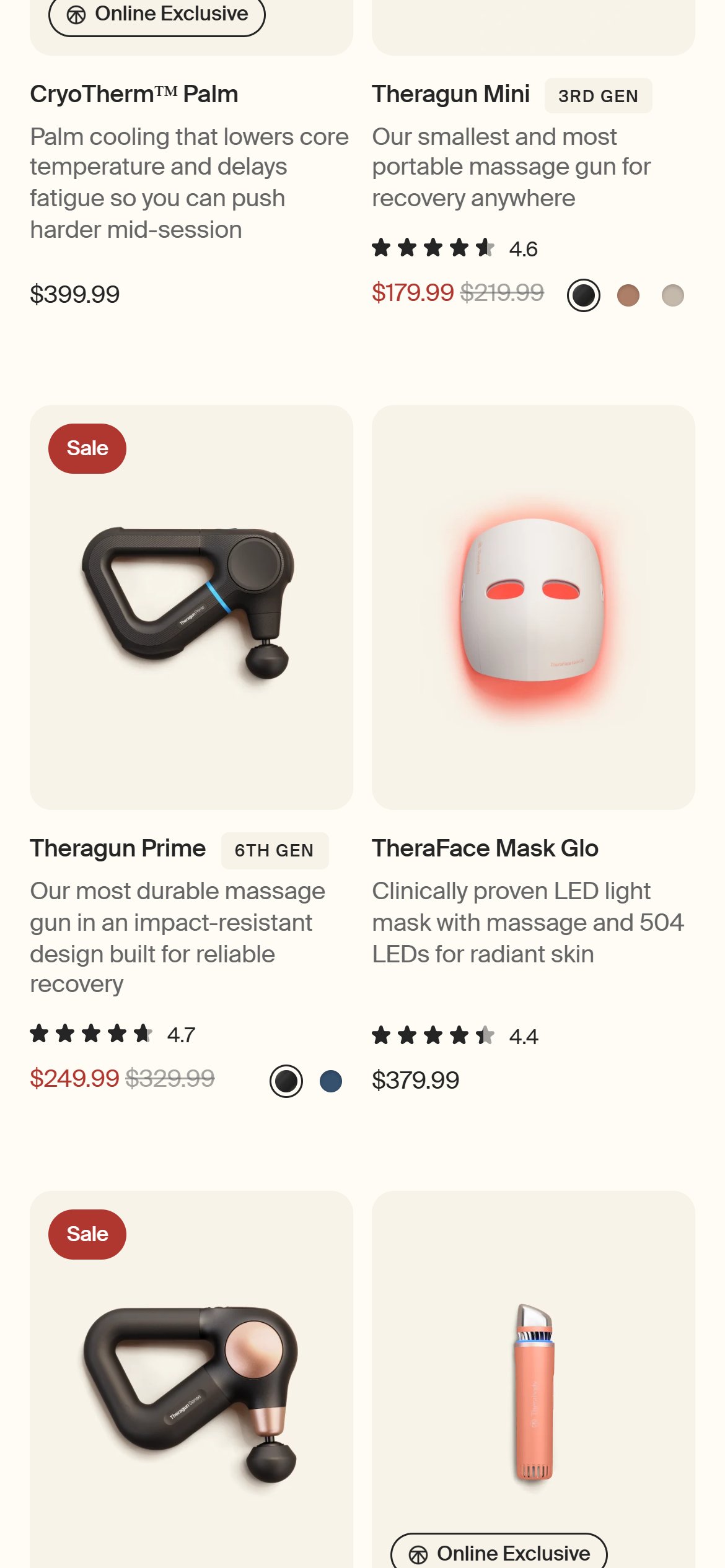
- Larger device-commerce competitors like Therabody expose header search as a standard wayfinding tool even on a focused catalogue.
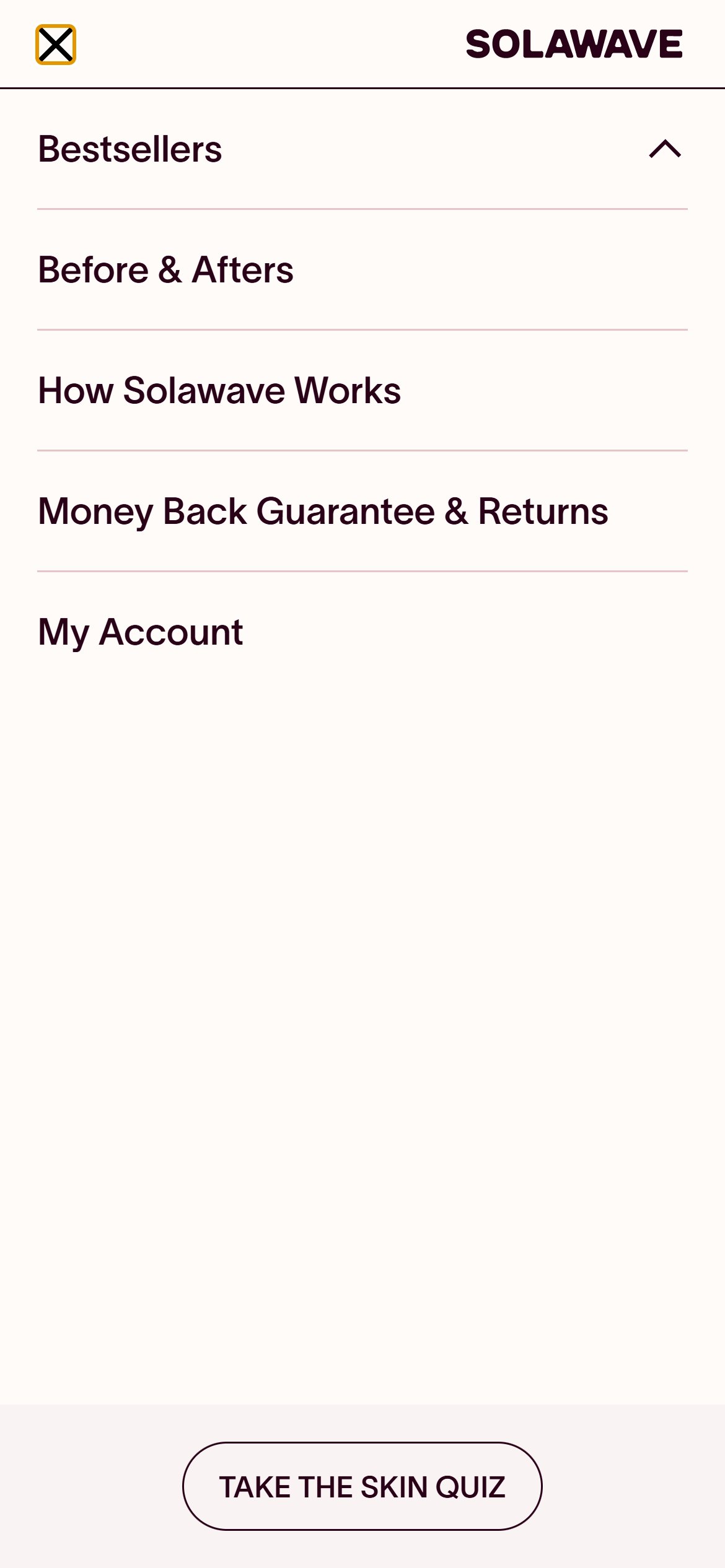
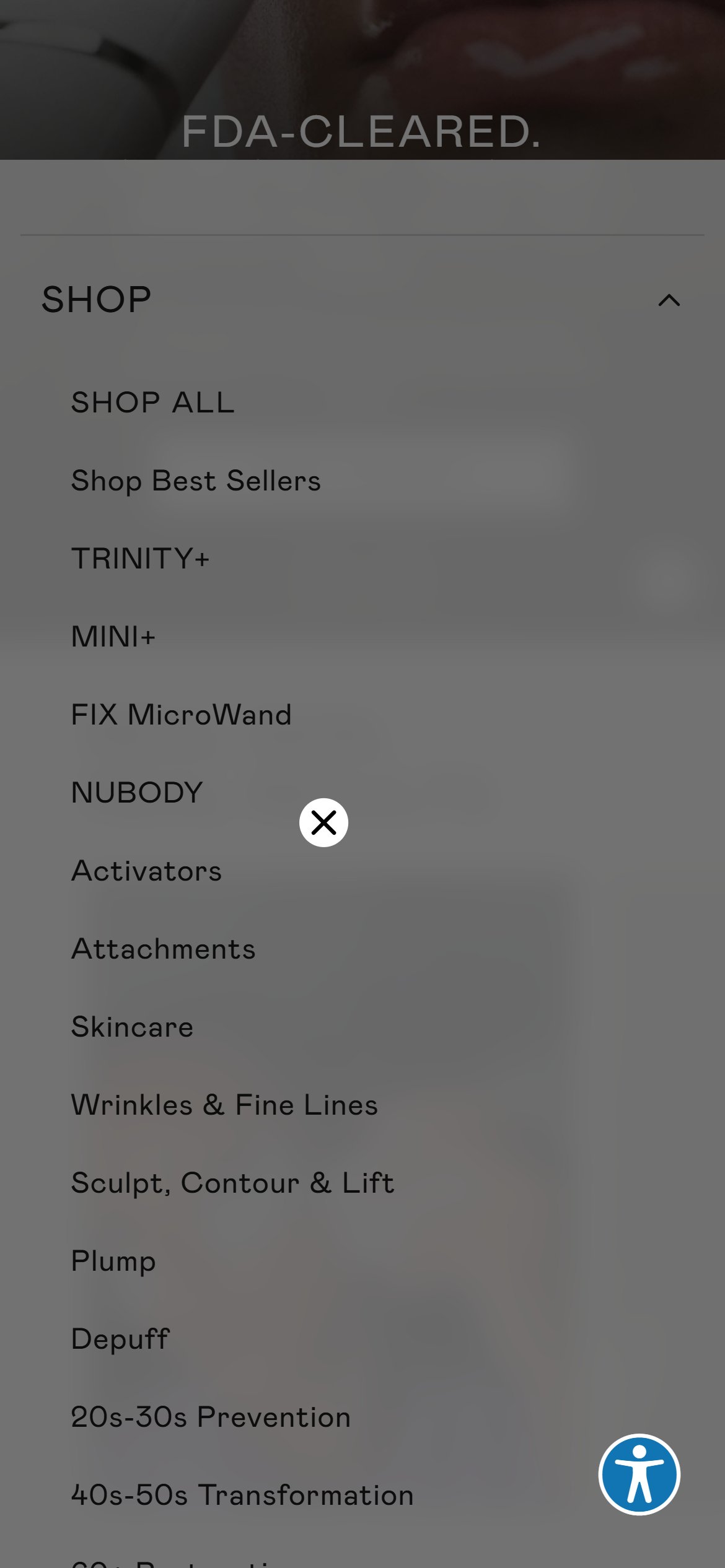
- Opening the hamburger menu reveals only: an expandable 'Bestsellers' row (which itself contains just 2 product links), 'Before & Afters', 'How Solawave Works', 'Money Back Guarantee & Returns', 'My Account', and the skin quiz link.
- There is no 'Light Therapy Devices' / 'Skincare' / 'Accessories' category structure in the header at all — those 3 collection links exist only in the footer, and the footer's 'Shop All' and 'Skincare' links currently both redirect into the Black Friday promo collection rather than a dedicated browse page.
- A shopper who wants to compare 'all devices' or 'all topicals' has no single tap from the header to do that — they must scroll the homepage to the promo collection or dig into the footer.
- Add 'Light Therapy Devices', 'Skincare', and 'Accessories' as first-class links inside the navigation menu, not just in the footer.
- Keep the Bestsellers shortcut, but position it alongside category links rather than as the only browsing option in the menu.
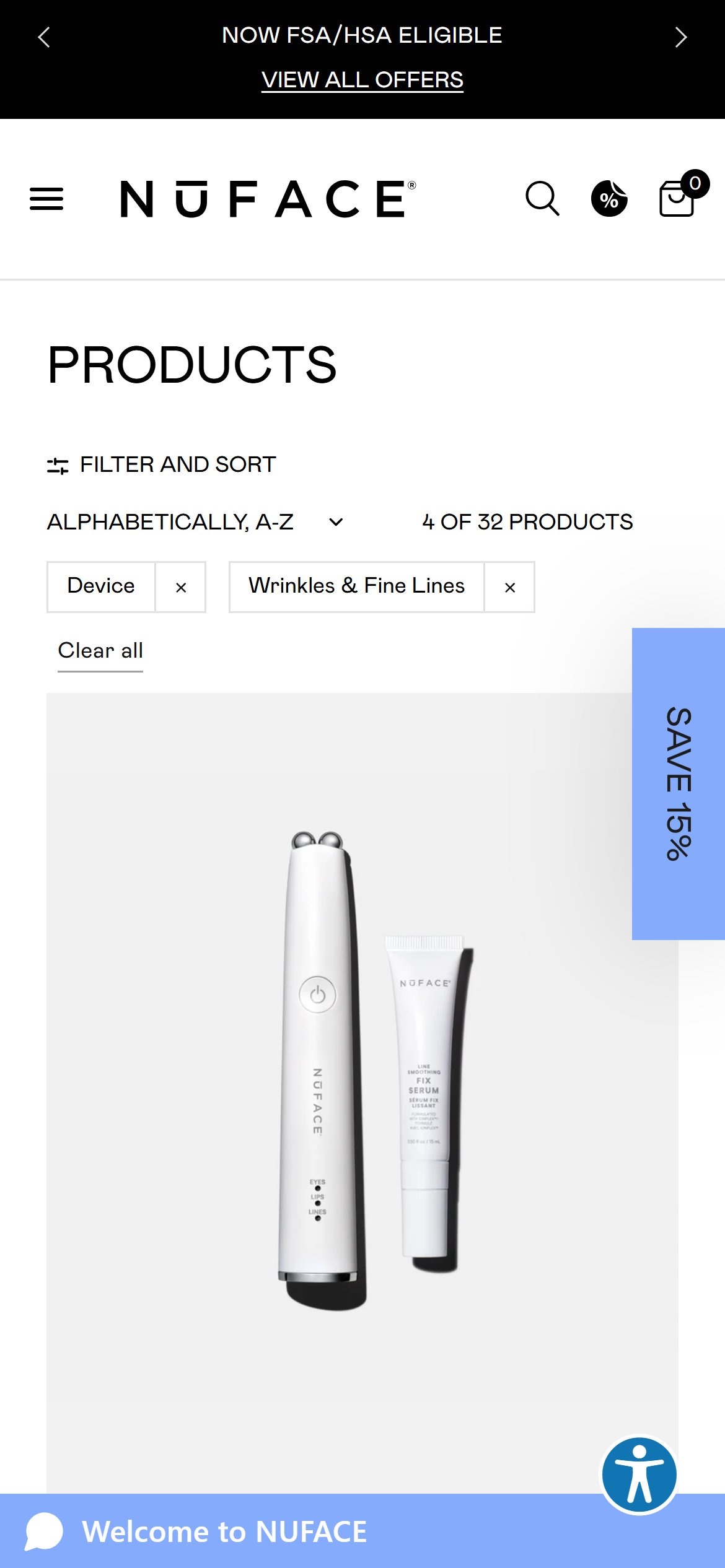
- NuFACE structures its mobile menu around clear device vs. consumable categories, which competitors in this benchmark set consistently ship on 8 of 10 top beauty stores.

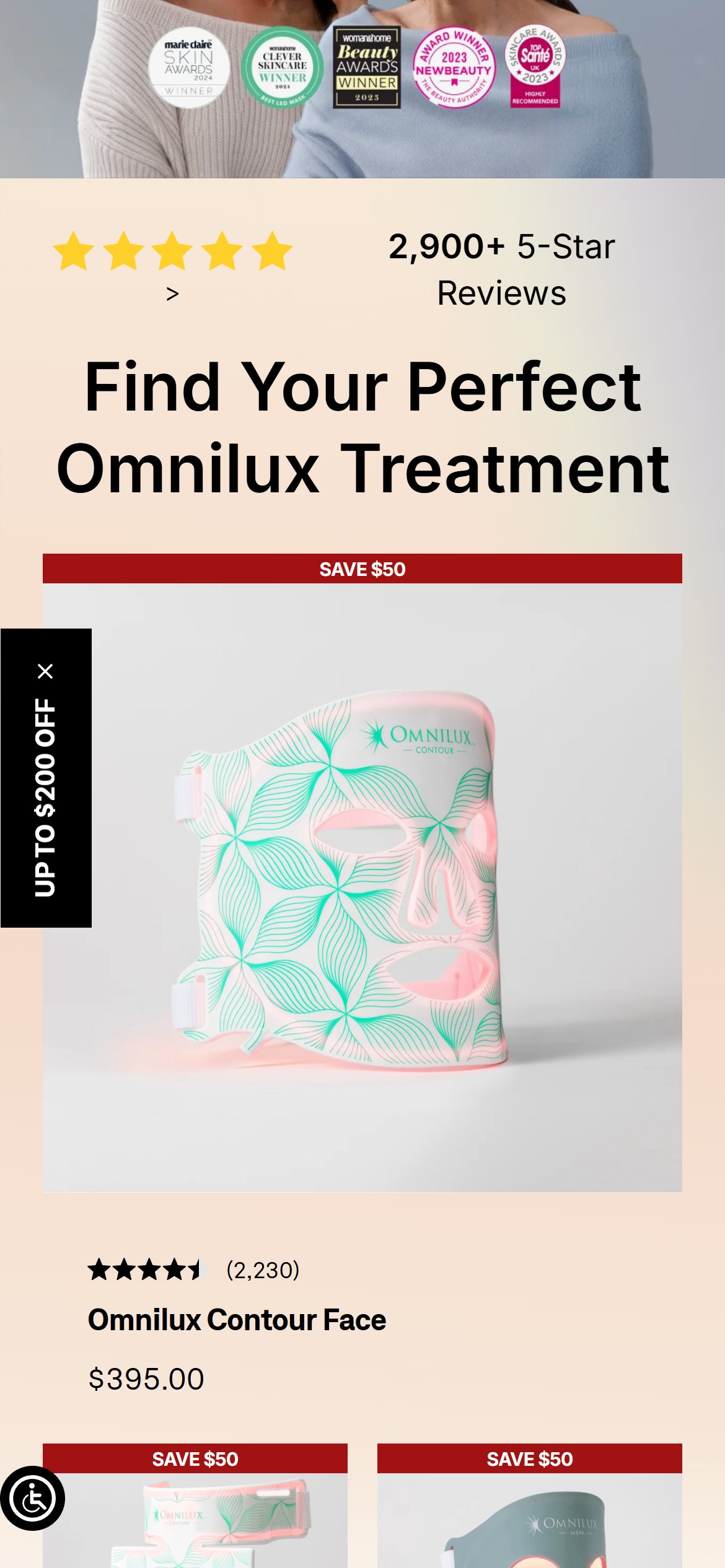
- The homepage runs past ten thousand pixels on mobile but carries only ten section headings, so long stretches scroll by without a signpost telling the shopper what they are looking at.
- Nothing near the top routes a shopper to a product category. The opening sequence is hero, then an awards strip, then a science explainer — a visitor who arrives knowing they want a mask rather than a wand has no early path to that choice.
- Social proof is stranded roughly two-thirds of the way down: the 'Don't just take our word for it' testimonial block and the 'Shop with Total Confidence' guarantee block both sit far below the point where most mobile sessions end.
- There is no bestseller or trending row anywhere on the page, so the catalogue's strongest sellers get no more prominence than anything else.
- Lead with category routing directly under the hero — Light Therapy Devices, Skincare, Accessories — so the first decision a shopper makes is which shelf they are on.
- Follow it with a bestseller or trending row, which lets the strongest SKUs do the selling instead of leaving discovery to a long scroll.
- Lift testimonials and the guarantee block above the fold-out point rather than leaving them near the footer, so trust arrives before the decision instead of after it.
- Omnilux orders its mobile homepage this way — hero, a review-count social proof band, then a concern-routing block — and it is the pattern this deck's benchmark set follows.
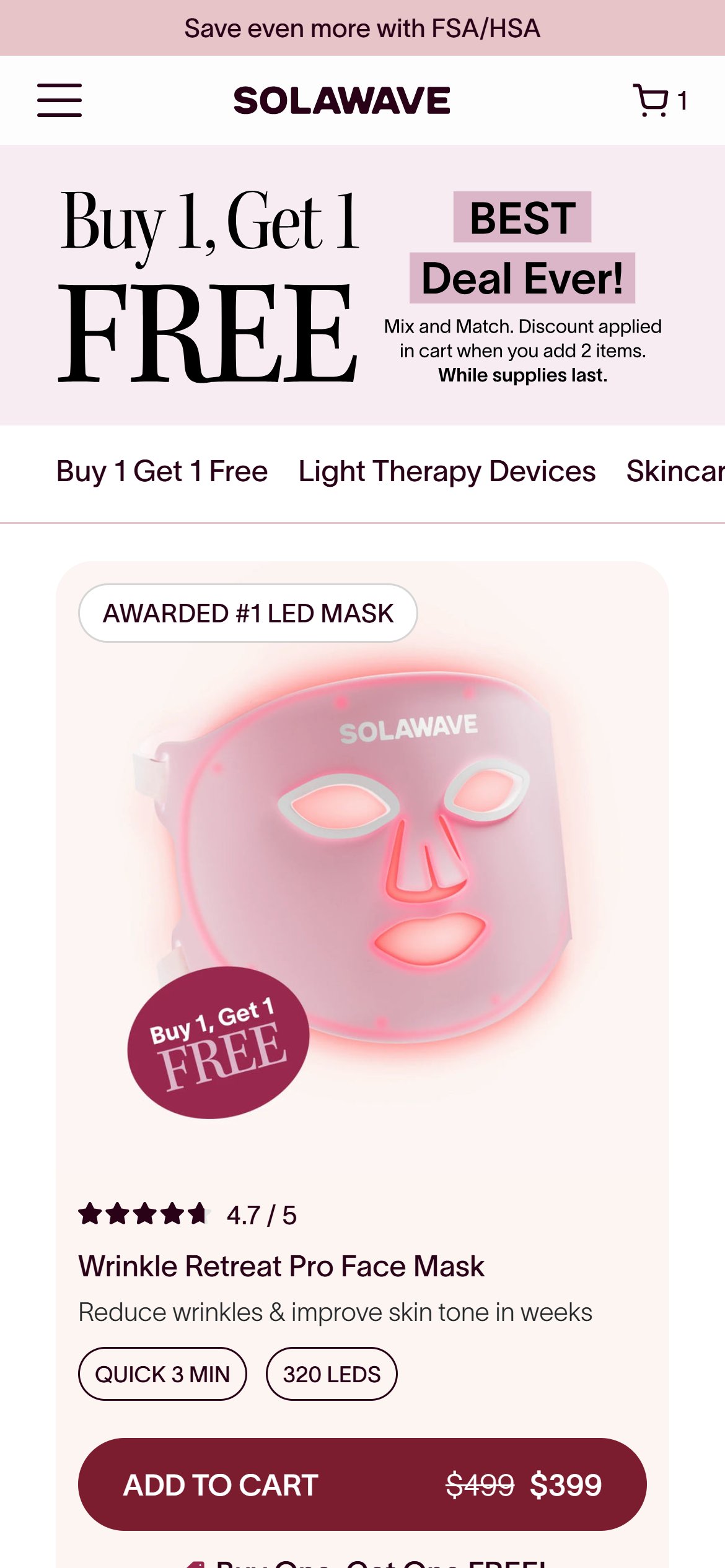
- solawave.co/collections/all and the footer's 'Shop All' link both redirect to the same Black Friday promo collection, confirming this is the only reachable browse experience right now — re-verified directly, not assumed from the promo URL alone.
- The page offers a 3-way product-type tab ('Buy 1 Get 1 Free' / 'Light Therapy Devices' / 'Skincare') that does filter the grid, but there is no price filter and no way to narrow by skin concern — even though Solawave already defines exactly that taxonomy (Fine Lines, Under Eyes, Redness, Texture, Acne) on its own homepage Before & Afters section.
- A shopper deciding between a $189 wand, a $399 mask, and a $56 serum has no way to ask 'what's best for my main concern' from the one page where they're comparing products side by side — they'd need to leave and take the separate skin quiz instead.
- With only ~15 SKUs, a full faceted-filter system would be overkill; the gap is specifically the missing concern axis, not filtering in general.
- Add the same 5 concern tags used on the homepage (Fine Lines, Under Eyes, Redness, Texture, Acne) as a lightweight filter row above the product-type tabs.
- Cross-link the 'Take the Skin Quiz' CTA into the collection page itself for shoppers who want guided routing instead of self-filtering.
- NuFACE organizes its collection browsing around concern and age-based navigation rather than generic type tabs alone.
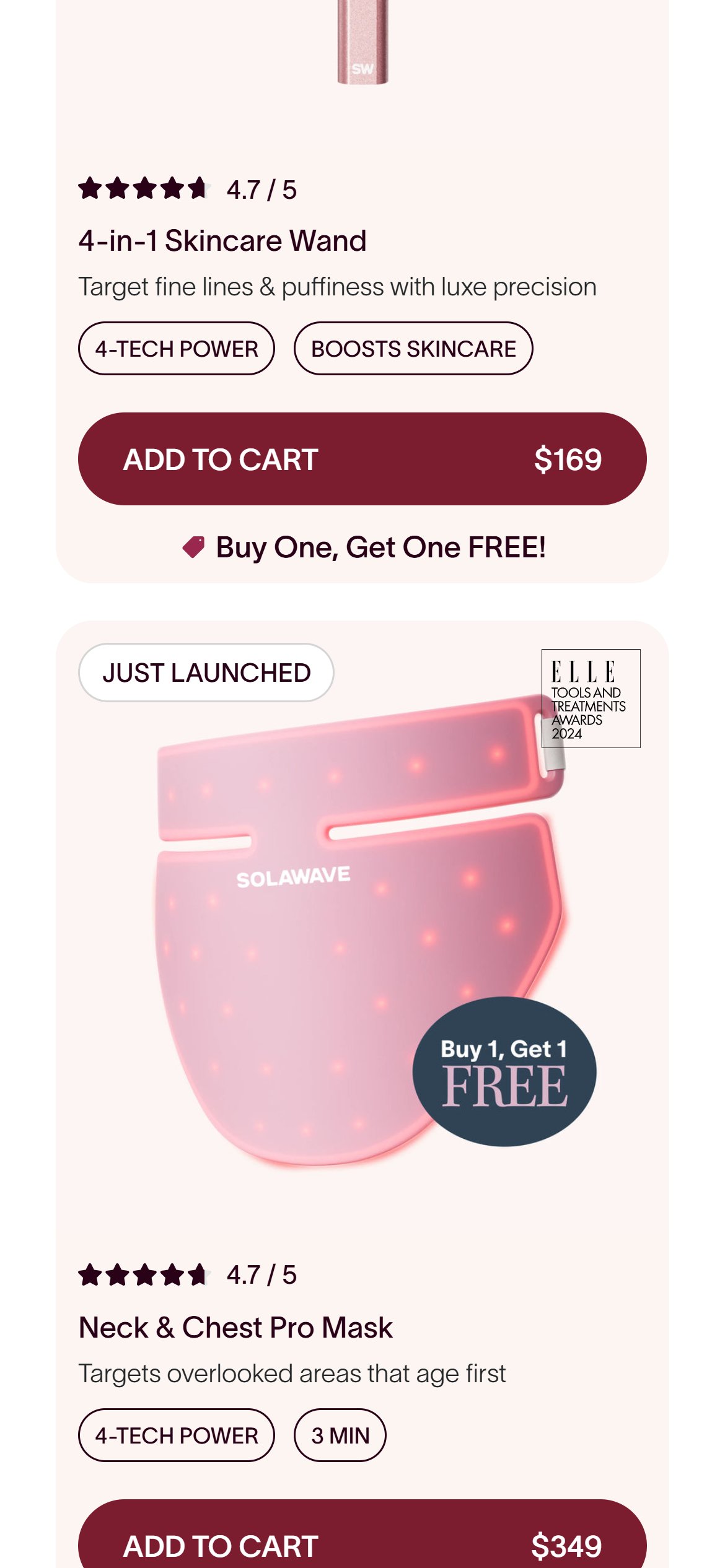
- The 4-in-1 Skincare Wand Kit ships in 3 real colors (Rose Gold, Gold, Charcoal per its own variant data), but its collection card shows only a single product image, price, rating, and 2 generic tags ('4-TECH POWER', 'BOOSTS SKINCARE') — no color indicator.
- Every other card on the page follows the same single-image pattern, so a shopper scanning the grid has no way to know a color choice even exists without tapping into the product page.
- This affects one hero SKU today, but it's the exact card layout that would hide any future colorway.
- Add small color swatches or a '3 colors' label under the price on any card whose product has more than one variant.
- Let the swatch swap the card thumbnail on tap, the same interaction already used on the product page's own color selector.
- Therabody surfaces variant choice on its collection cards for its multi-finish device lines.
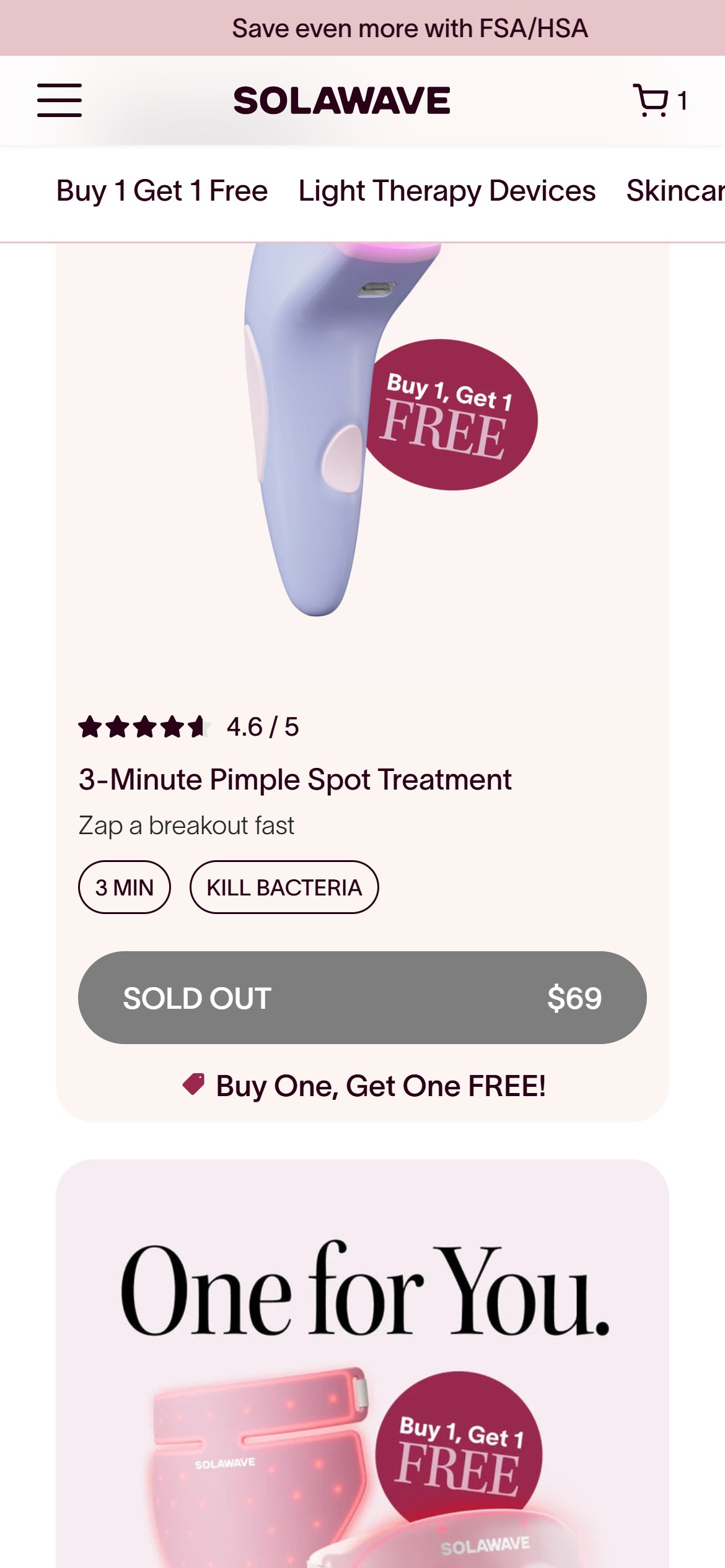
- The '3-Minute Pimple Spot Treatment' ($69) sits in the 2nd product slot from the top of the collection — not pushed to the end — with its Add to Cart button greyed out and relabeled 'SOLD OUT'.
- There is no 'Notify Me' link, no email/SMS capture, and no alternate product suggestion anywhere on or near the card — a shopper who wants this item simply hits a dead end.
- Because it's a prominent, high-position card, this is also lost email-capture opportunity: interested shoppers leave with no way for Solawave to follow up when it restocks.
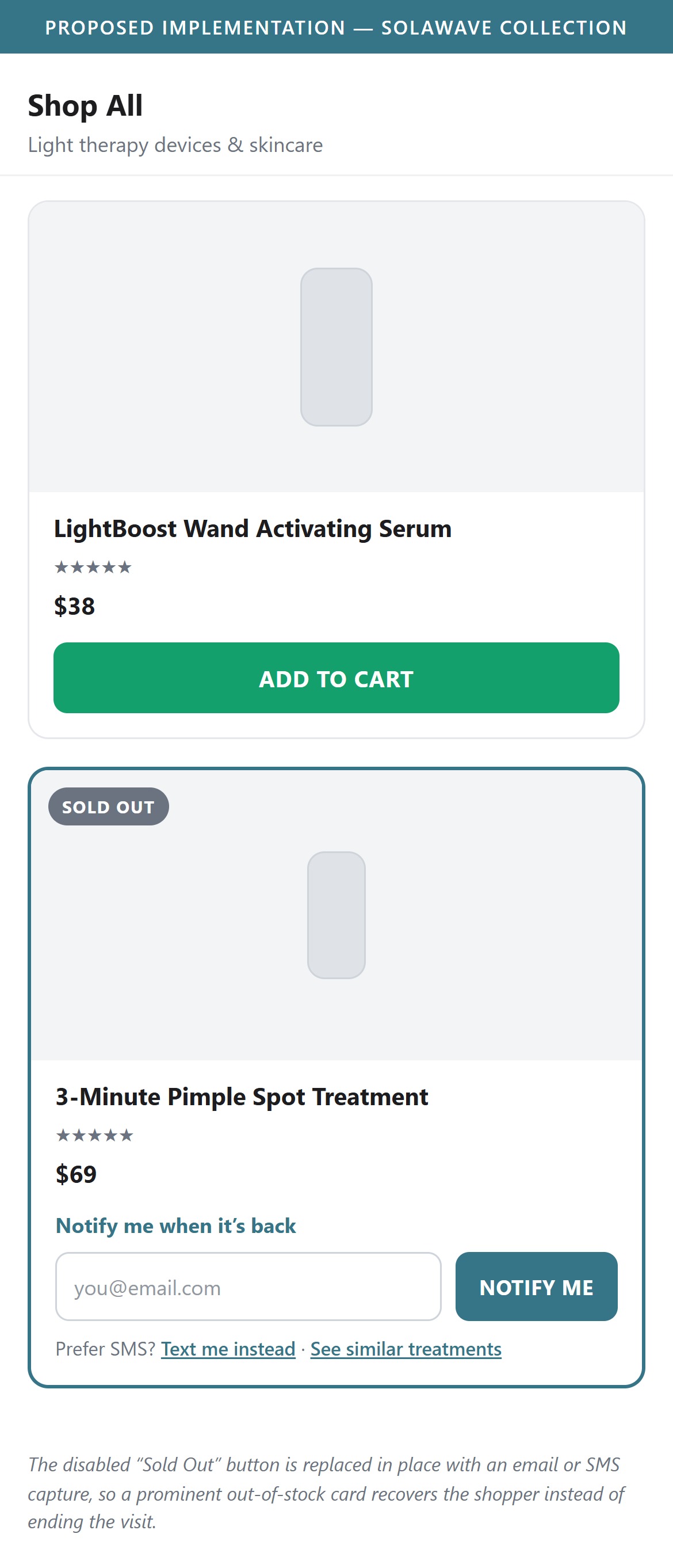
- Add a 'Notify Me When Back' email/SMS capture in place of the disabled button on out-of-stock cards.
- Either move perpetually sold-out cards toward the end of the grid or keep the position but make the OOS state actionable rather than dead.
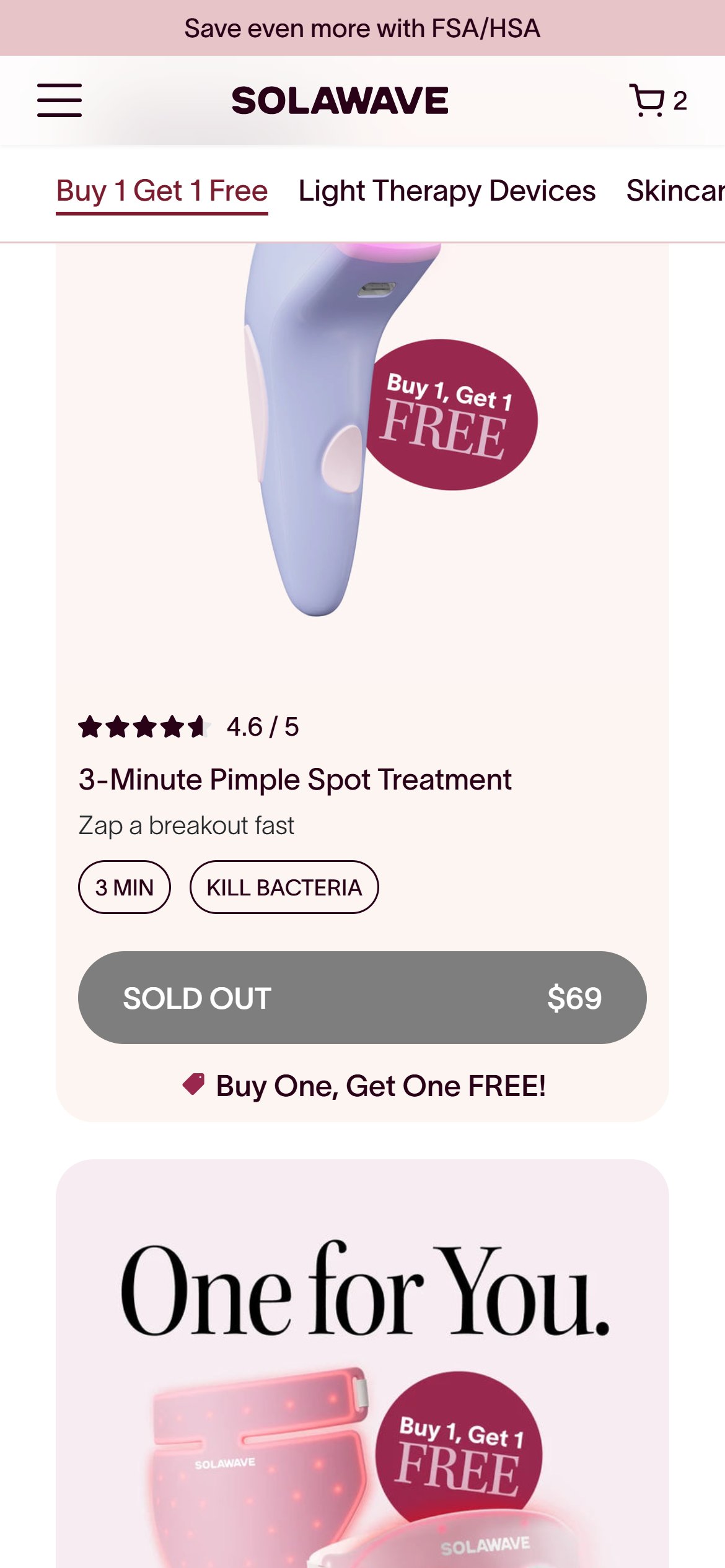
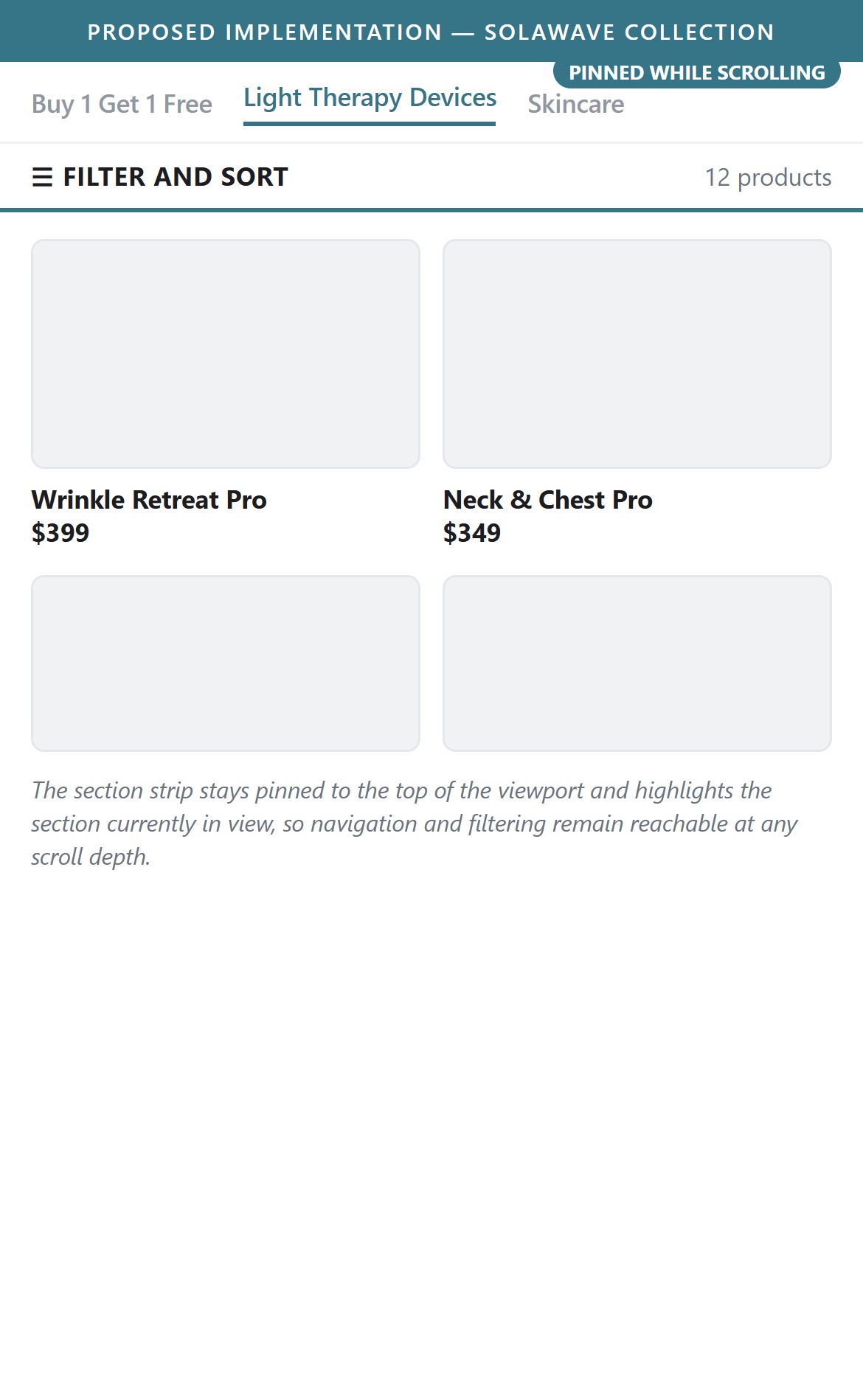
- The tab strip at the top of the collection — Buy 1 Get 1 Free, Light Therapy Devices, Skincare — is the page's only in-page navigation, and it scrolls out of view permanently once the shopper moves down the page.
- No tab is ever marked as the active section. Measured at the top of the page and again several thousand pixels down, not one tab carries an active, selected or current state, so the strip never reflects where the shopper actually is.
- Tapping a tab did not move the page in testing, so the strip reads as navigation but does not behave like it.
- There is no filter or sort control anywhere on the collection to pin in the first place, on a page that runs to roughly nine thousand pixels.
- Pin the section strip to the top of the viewport while scrolling so navigation stays reachable through the whole collection.
- Highlight the tab matching the section currently in view, and update it as the shopper scrolls, so the strip doubles as a position indicator.
- Give each tab a distinct destination and confirm the tap actually scrolls, replacing any duplicate destinations with unique anchors.
- Introduce a filter and sort control and keep it inside that pinned bar, so narrowing the list never costs the shopper a scroll back to the top.
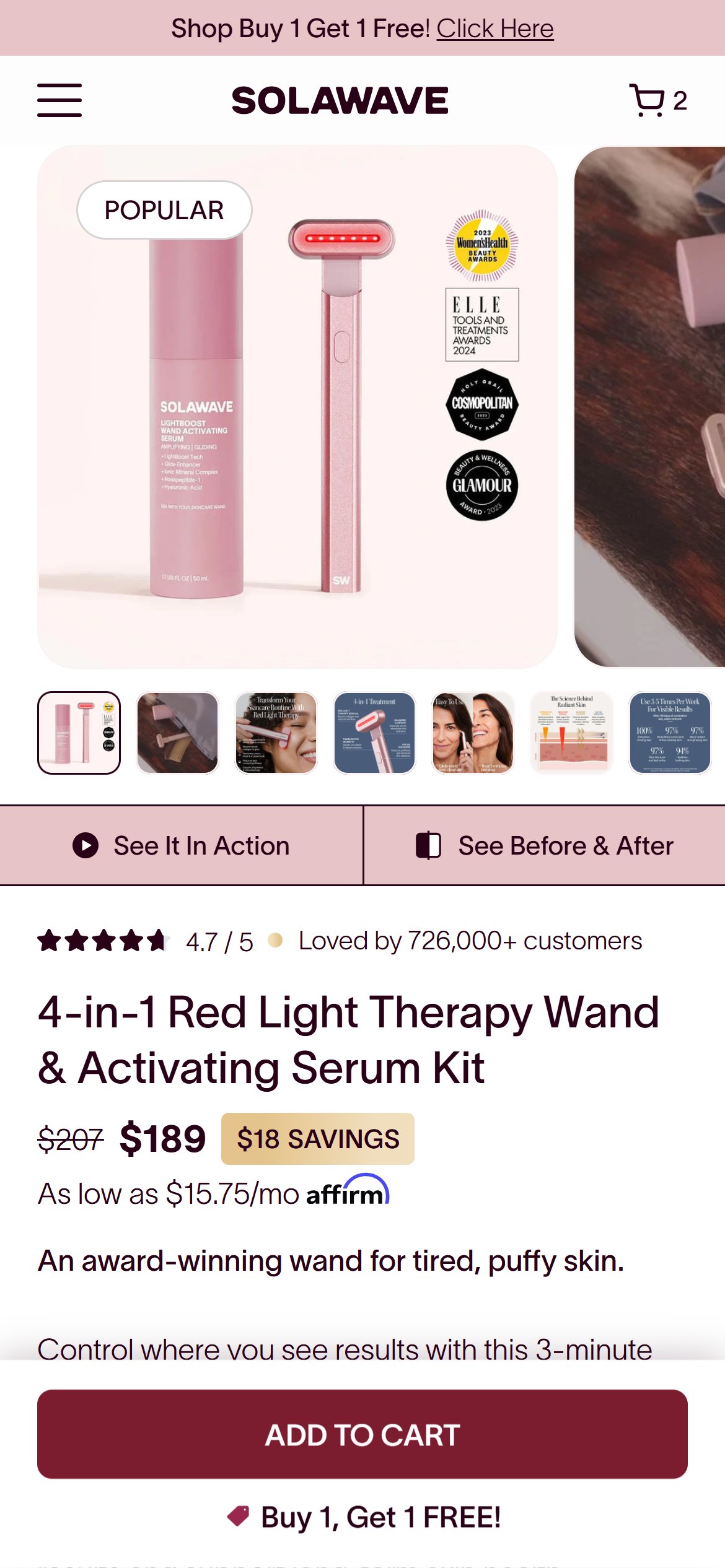
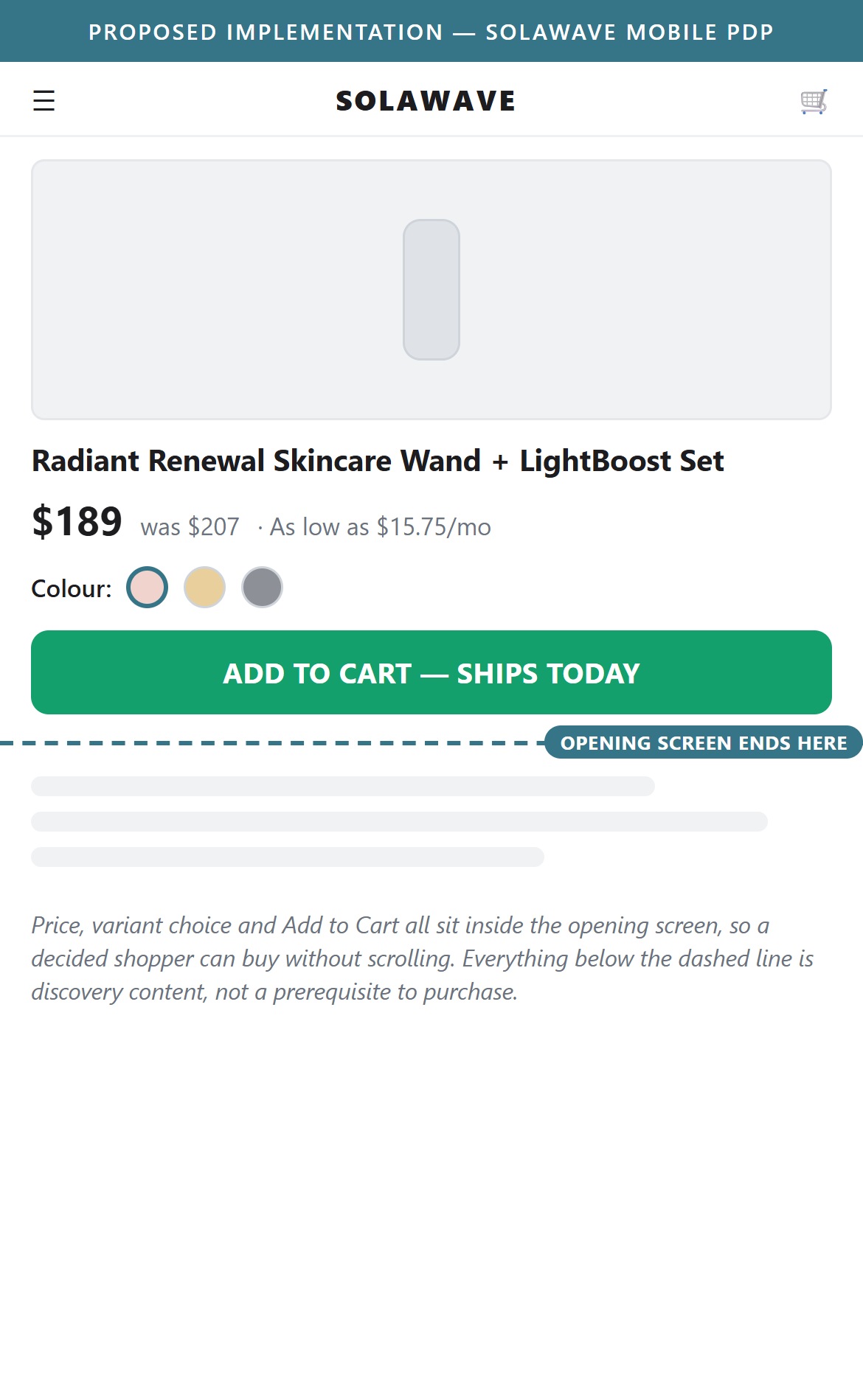
- Measured on a mobile viewport at the top of the product page, the price is visible in the opening screen but no Add to Cart button is — the two purchase buttons sit well below the fold and only come into view after the shopper scrolls.
- That puts a scroll between the shopper and the only purchase action on the page, on a kit priced in the high hundreds where intent is already established by the time they arrive.
- The page pairs the price with Affirm financing in the opening screen, so the commercial information is there — the action that acts on it is the piece that is missing.
- Move the Add to Cart button up so it shares the opening screen with the price and variant selector, giving a decided shopper a purchase action without any scrolling.
- Keep the sticky bar as a safety net for shoppers who scroll deep into reviews and specs, rather than as the primary route to purchase.
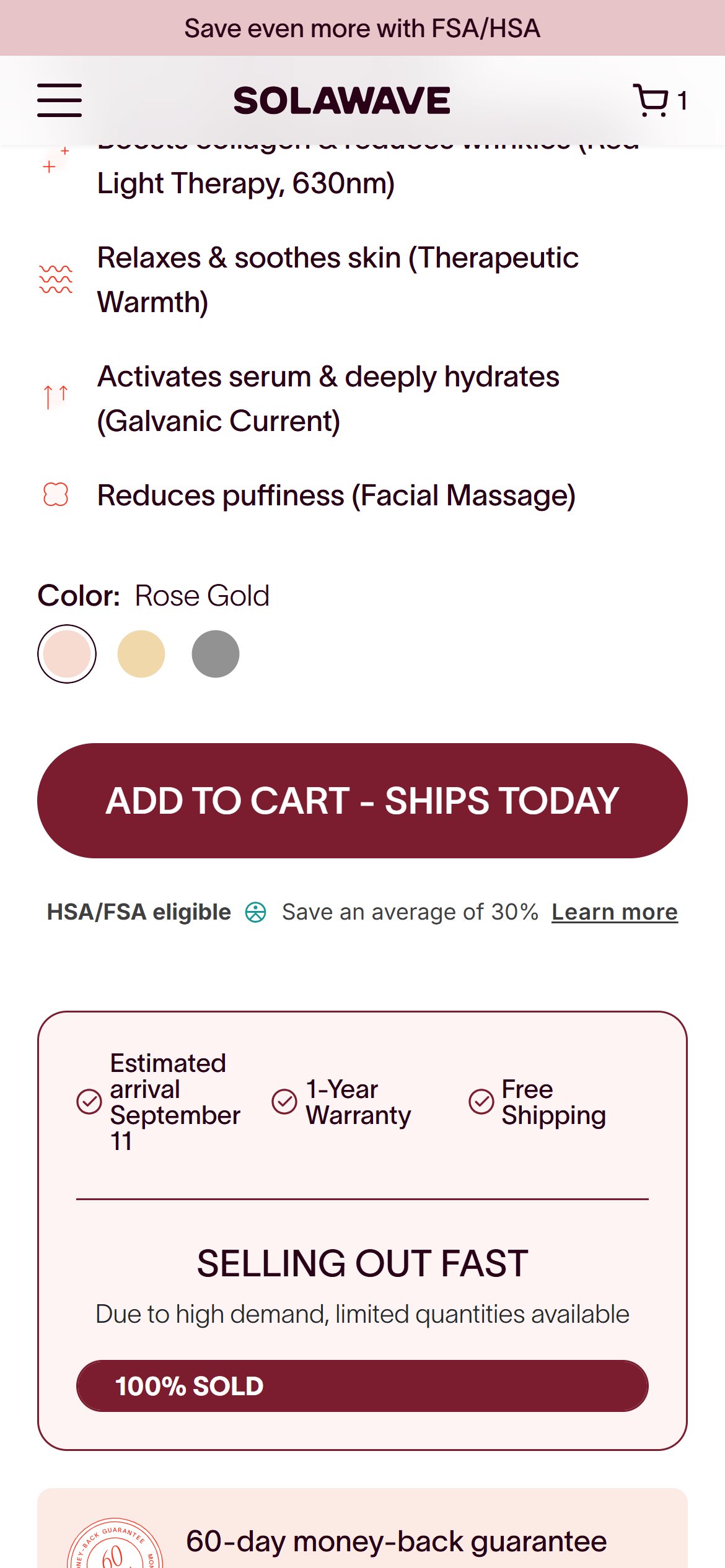
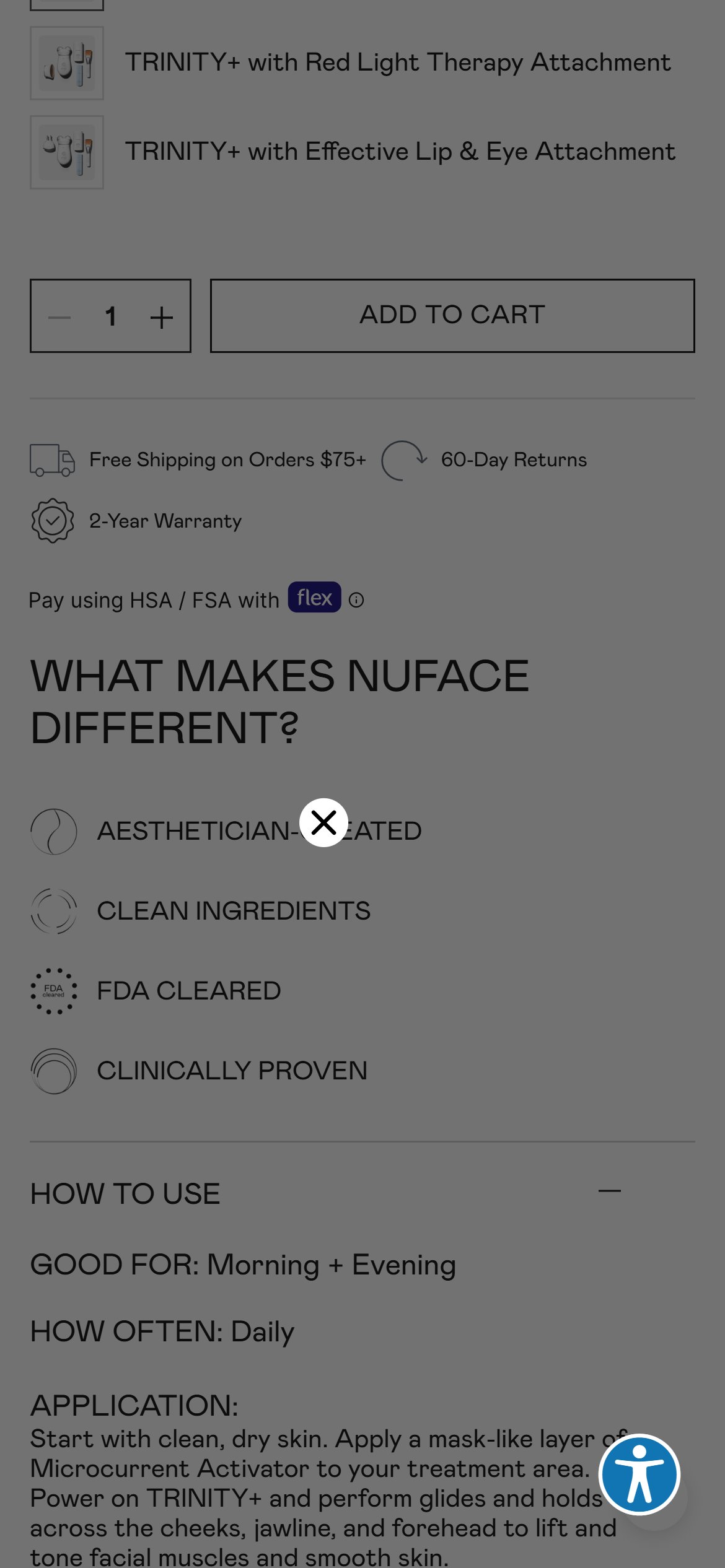
- The 4-in-1 Red Light Therapy Wand & Activating Serum Kit PDP shows a color selector (Rose Gold/Gold/Charcoal) directly above a single 'ADD TO CART - SHIPS TODAY' button — there is no +/- quantity control anywhere on the page.
- The active BOGO mechanic ('Buy 1, Get 1 Free! Add 2 to activate savings') specifically depends on shoppers adding a second unit — without an inline stepper, that means either 2 separate add-to-cart taps or a trip into the cart to change quantity.
- This adds friction to the exact behavior (buying 2) the site's own promotion is trying to drive.
- Add a quantity stepper next to the Add to Cart button, defaulting to 1 but making it easy to bump to 2 to claim the BOGO offer in a single tap.
- Surface a short 'Add 2 for BOGO' microcopy next to the stepper so the connection to the active promotion is obvious.
- Therabody exposes an inline quantity control alongside variant selection on its device PDPs.
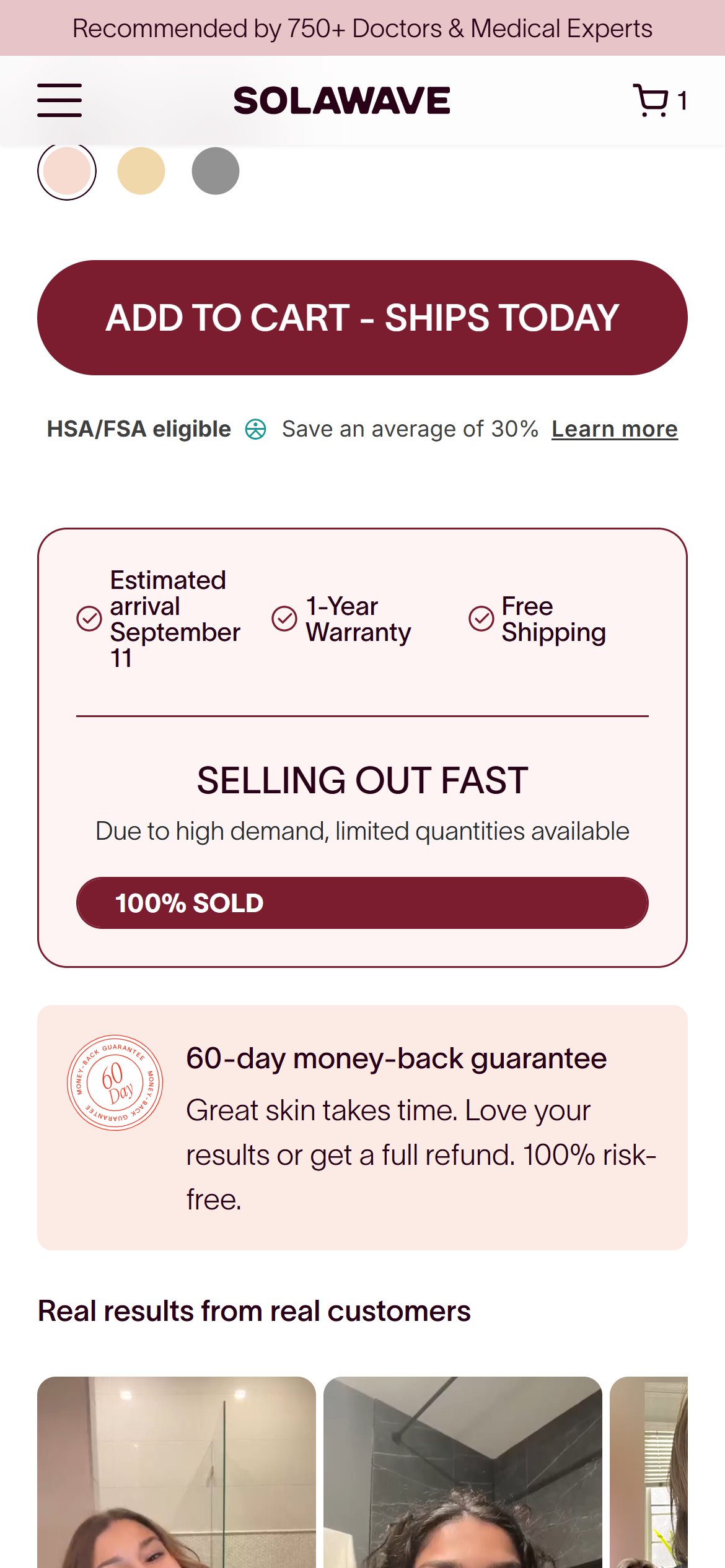
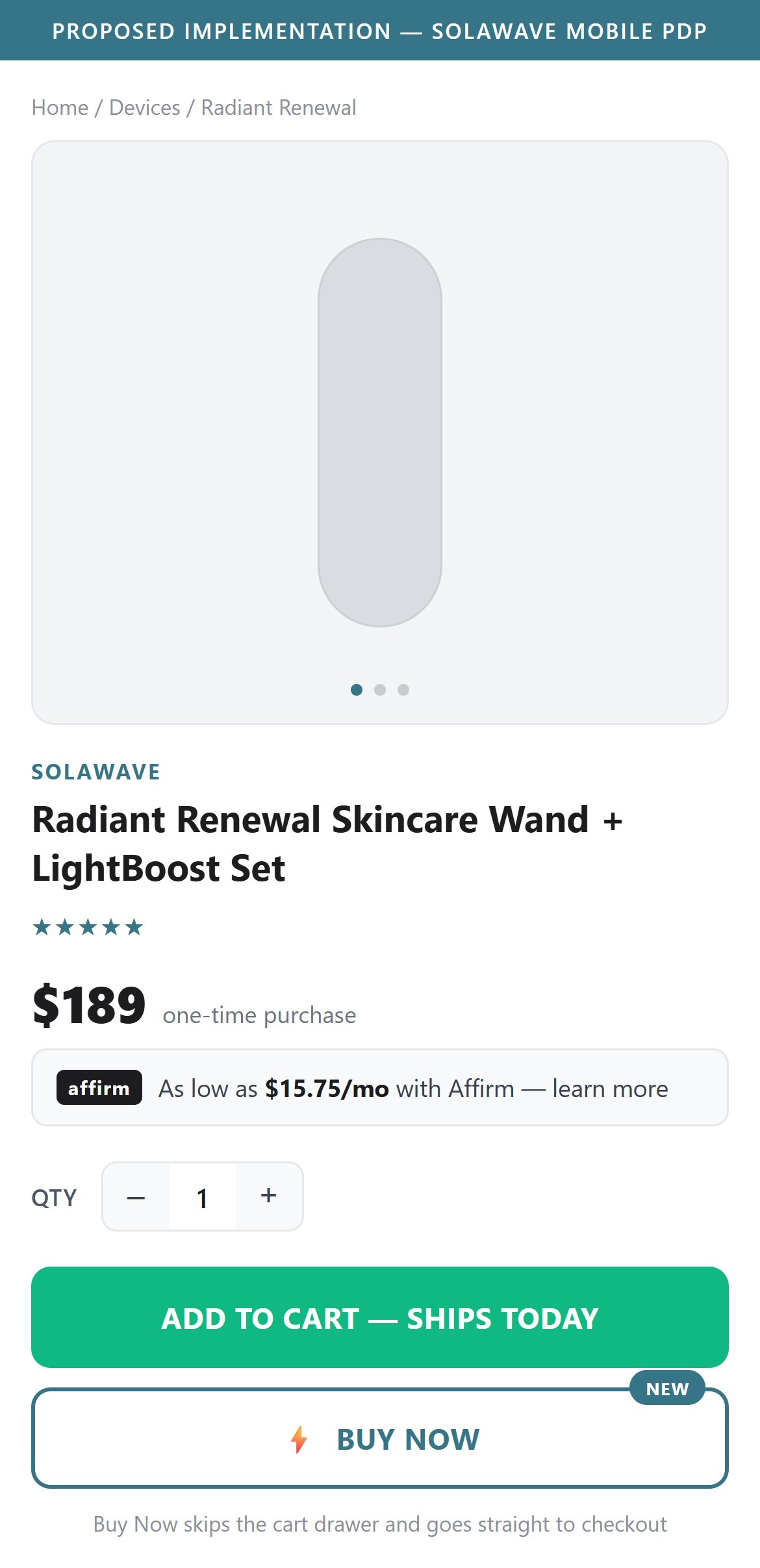
- The only purchase action on the PDP is a single 'ADD TO CART - SHIPS TODAY' button; there is no second 'Buy Now' action that would jump straight to checkout.
- Affirm financing is already offered on this $189 kit ('As low as $15.75/mo'), which signals Solawave already treats this as a considered, high-intent purchase — a shopper who has decided still has to go through the cart drawer and tap a second button to reach checkout.
- Given the cart drawer's own cross-sell carousel (see the cart findings), a Buy Now path also gives high-intent shoppers a way to bypass upsell friction when they just want to complete the purchase fast.
- Add a secondary 'Buy Now' button beneath or beside Add to Cart that routes directly to checkout, skipping the cart drawer.
- Keep Add to Cart as the primary action so the BOGO/cross-sell mechanics aren't undermined for shoppers who want to browse more first.
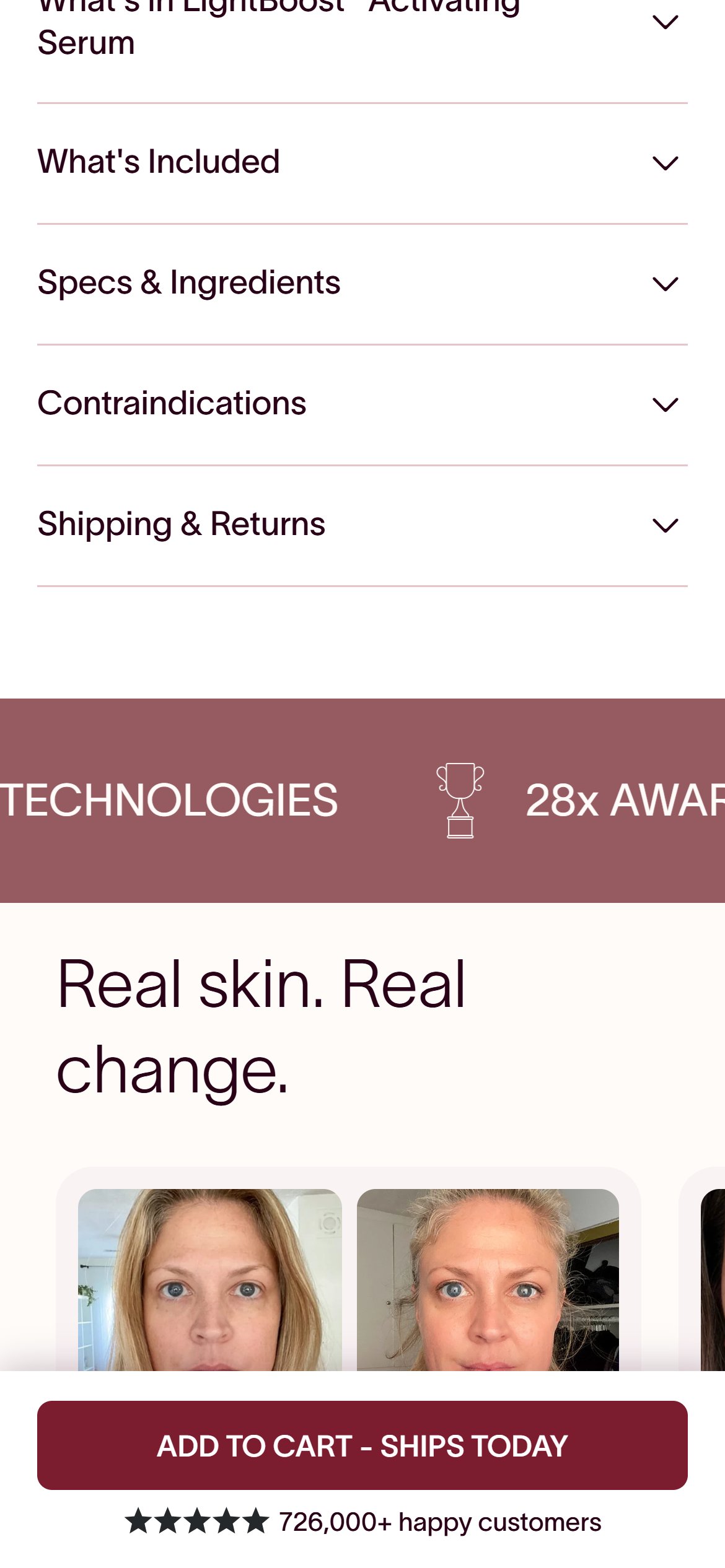
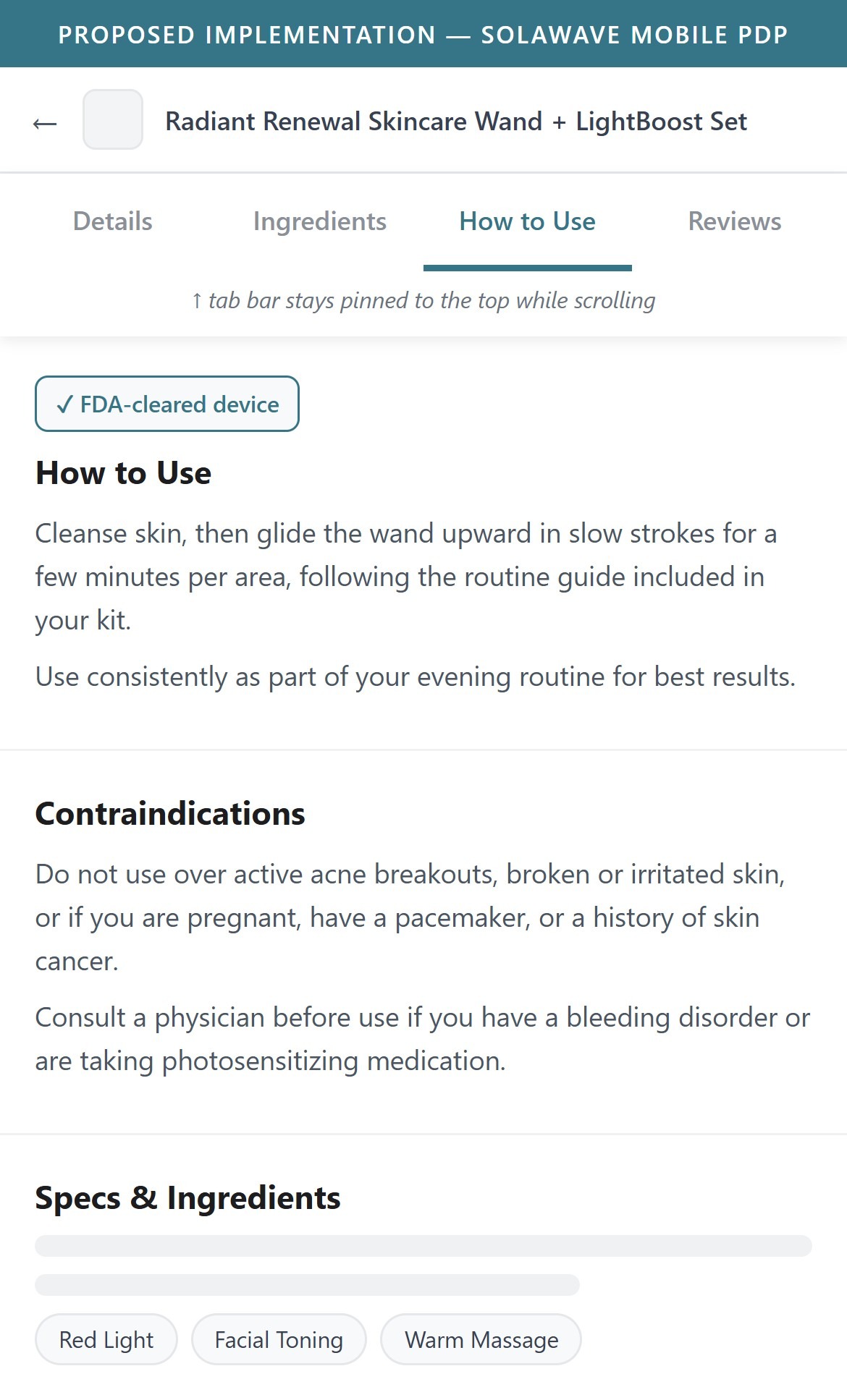
- The PDP organizes 'What's in LightBoost Serum', 'What's Included', 'Specs & Ingredients', 'Contraindications', and 'Shipping & Returns' as plain stacked accordions with no jump-to tab bar pinned anywhere on scroll.
- Reaching a specific answer (e.g. 'Contraindications' for a medical-adjacent device) means scrolling past the full gallery, description, before/afters, and reviews first — there is no shortcut.
- The page is long (10,000+ px based on the review-widget position captured in the probe run), which makes a sticky section-jump bar more valuable here than on a typical PDP.
- Add a sticky horizontal tab bar (Details / Ingredients / How to Use / Reviews) that appears once the shopper scrolls past the Add to Cart button and jumps to each section on tap.
- Prioritize surfacing 'Contraindications' and 'Specs & Ingredients' as named tabs given the FDA-cleared, medical-device positioning.
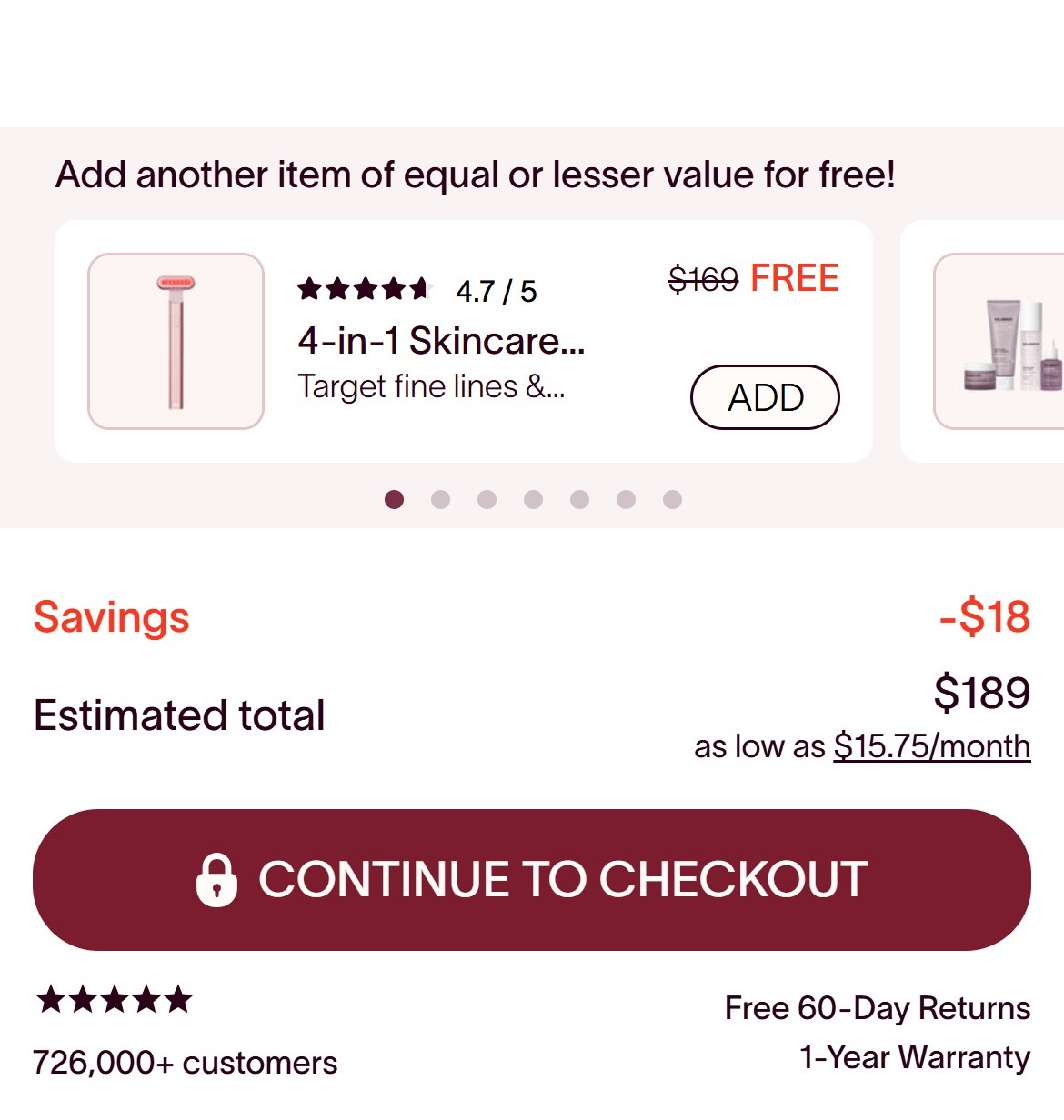
- The cart drawer was opened via its real trigger control after seeding the 4-in-1 Skincare Wand Kit ($189) — the drawer's own content fully fits in one screen (no further scroll), so this is the complete order summary, not a partial capture.
- The order summary shows only 2 lines: 'Savings -$18' and 'Estimated total $189' — there is no subtotal line and no shipping line ('Free' or otherwise) anywhere in the drawer.
- On a $189-399 purchase, shoppers reasonably expect to see what they're being charged for before tapping 'Continue to Checkout' — the current summary answers 'how much did I save' but not 'what am I paying for'.
- Add a standard summary block above the total: Subtotal, Discount, Shipping (or 'Free'), then Total.
- Keep the existing savings callout, but nest it inside the itemized breakdown rather than as the only supporting line.
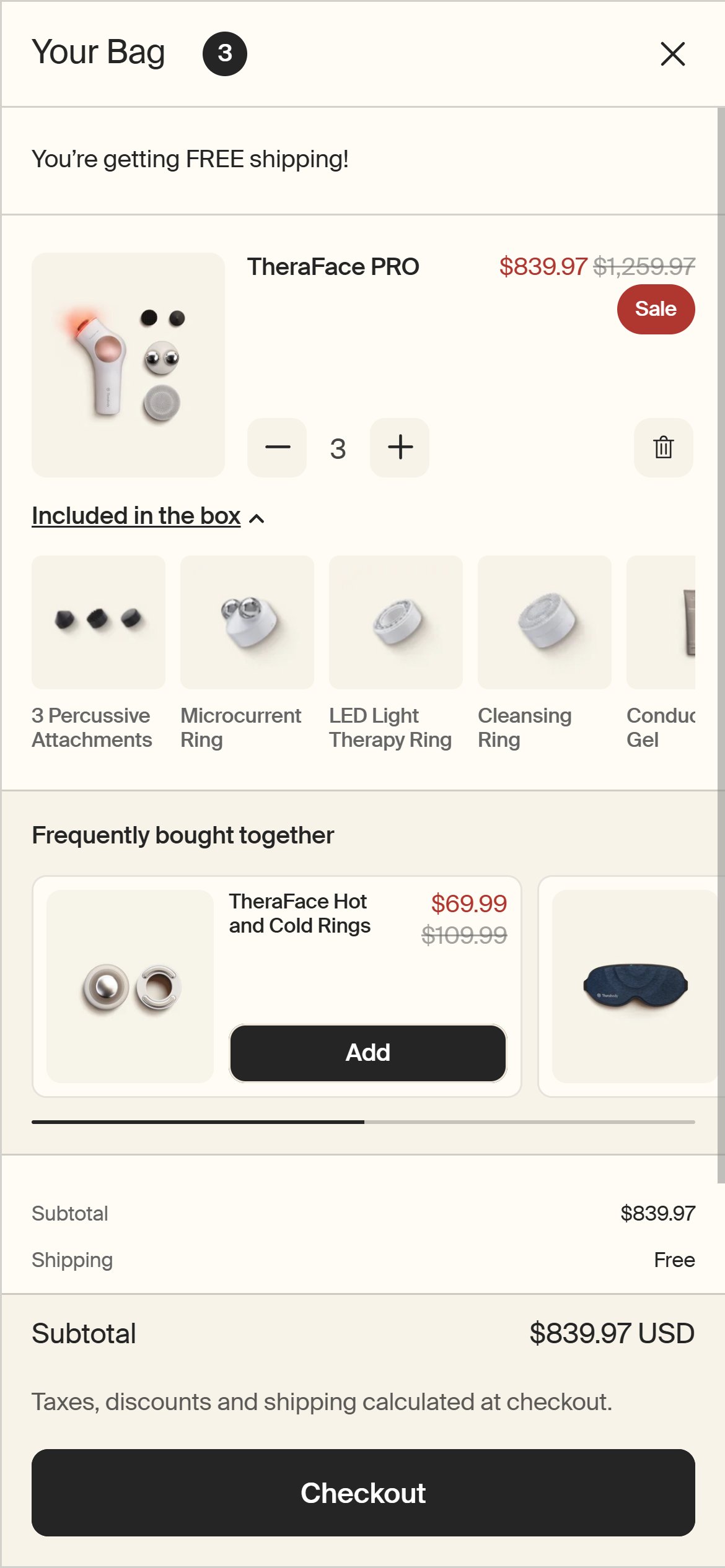
- Therabody's cart shows a full subtotal-to-total breakdown before the checkout button on its device bundles.
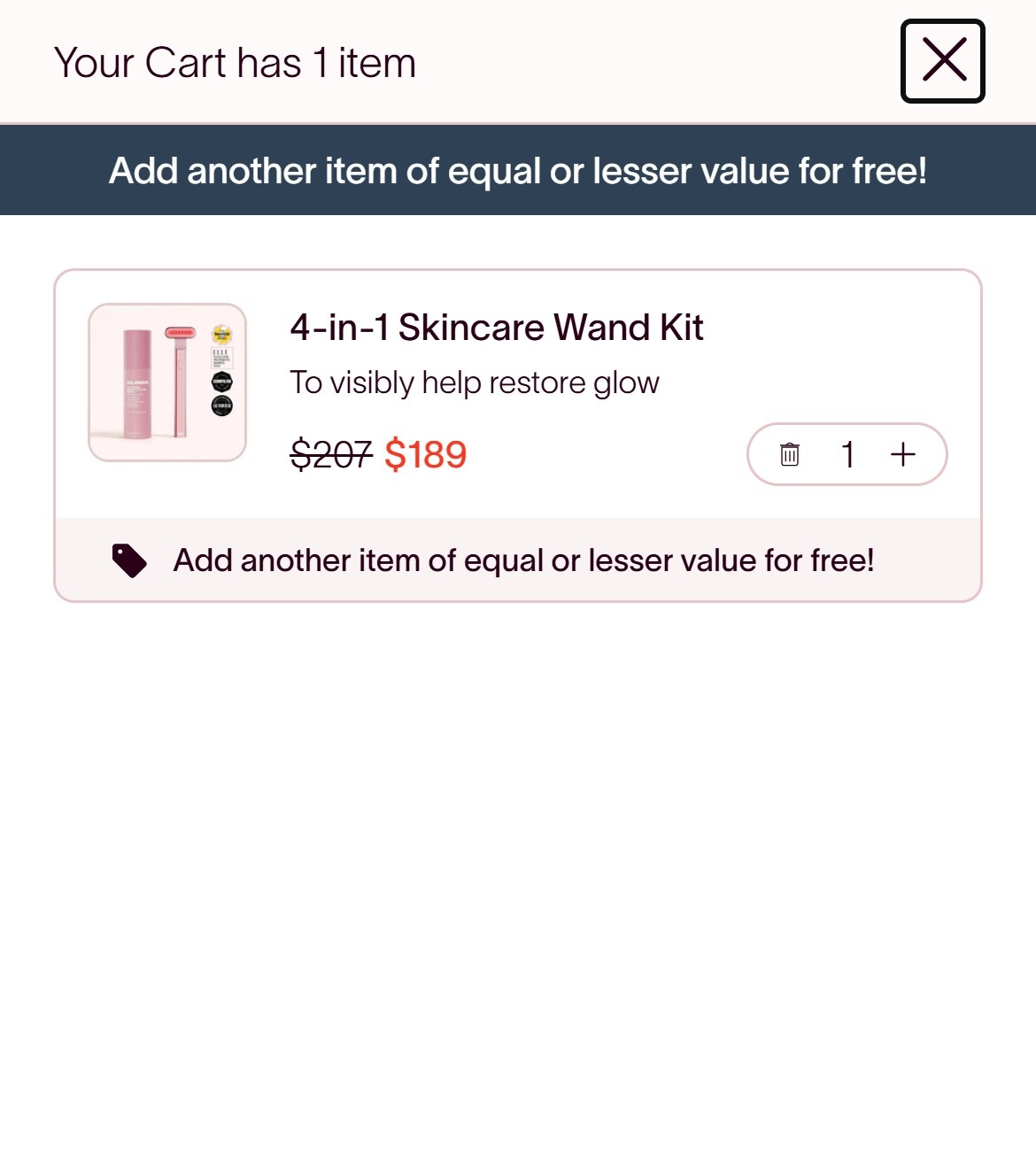
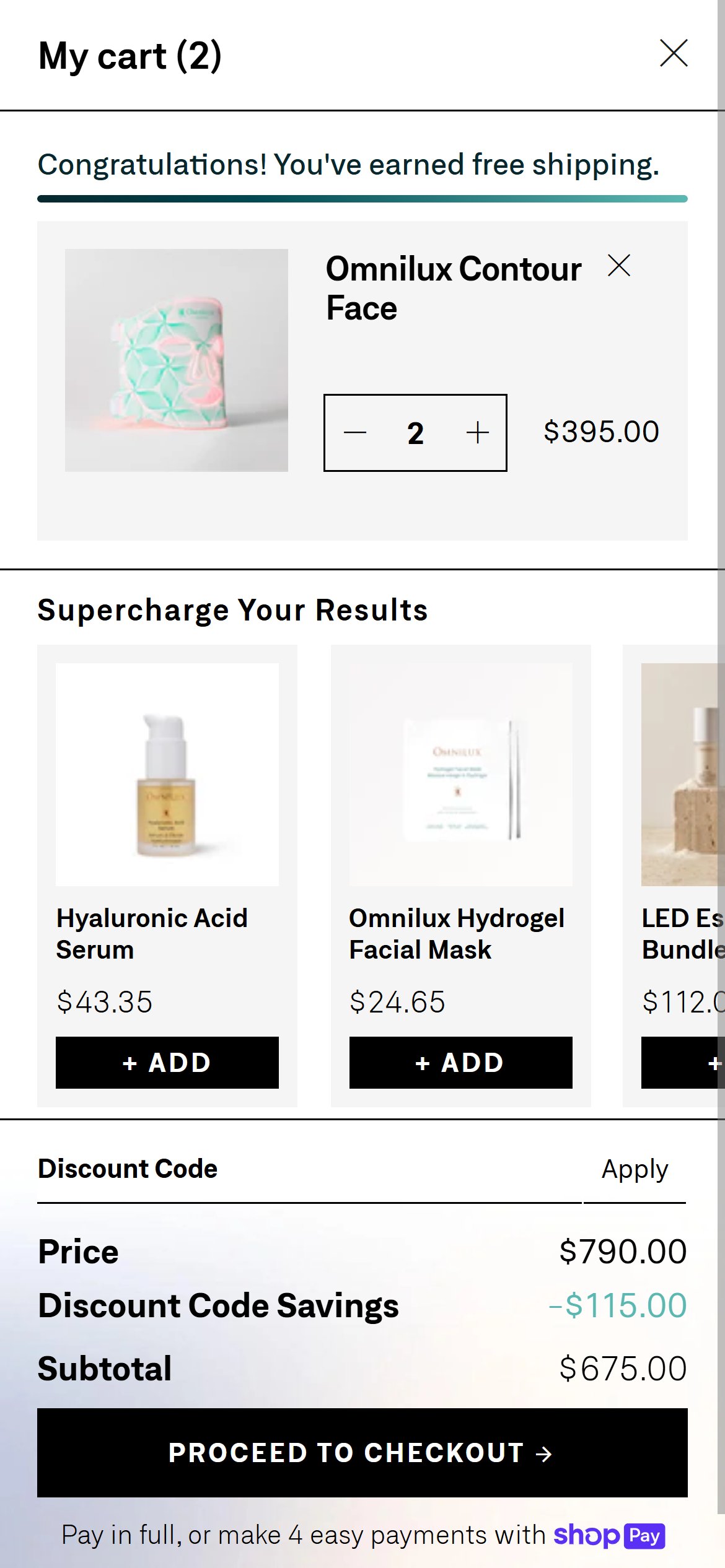
- Solawave already advertises 'Free US Shipping on orders more than $75' — but only in the site footer, a separate section the shopper isn't looking at while reviewing their cart.
- Inside the fully-visible cart drawer (seeded with the $189 wand kit), there is no shipping line, no threshold text, and no progress indicator at all — a shopper cannot tell from the cart itself that they already qualify for free shipping.
- Because Solawave's device prices already sit well above the $75 bar, this isn't a 'nudge to add more' opportunity — it's a missed reassurance moment at exactly the point where shipping cost anxiety could cause hesitation before checkout.
- Add a short confirmation line in the cart summary such as 'Free shipping — you're all set' whenever the order already clears $75.
- Reserve a progress-bar treatment only for orders that haven't yet reached the threshold (mainly the $38-79 topical-only carts).
- Omnilux confirms free-shipping eligibility directly in the cart rather than leaving shoppers to find it in the footer.
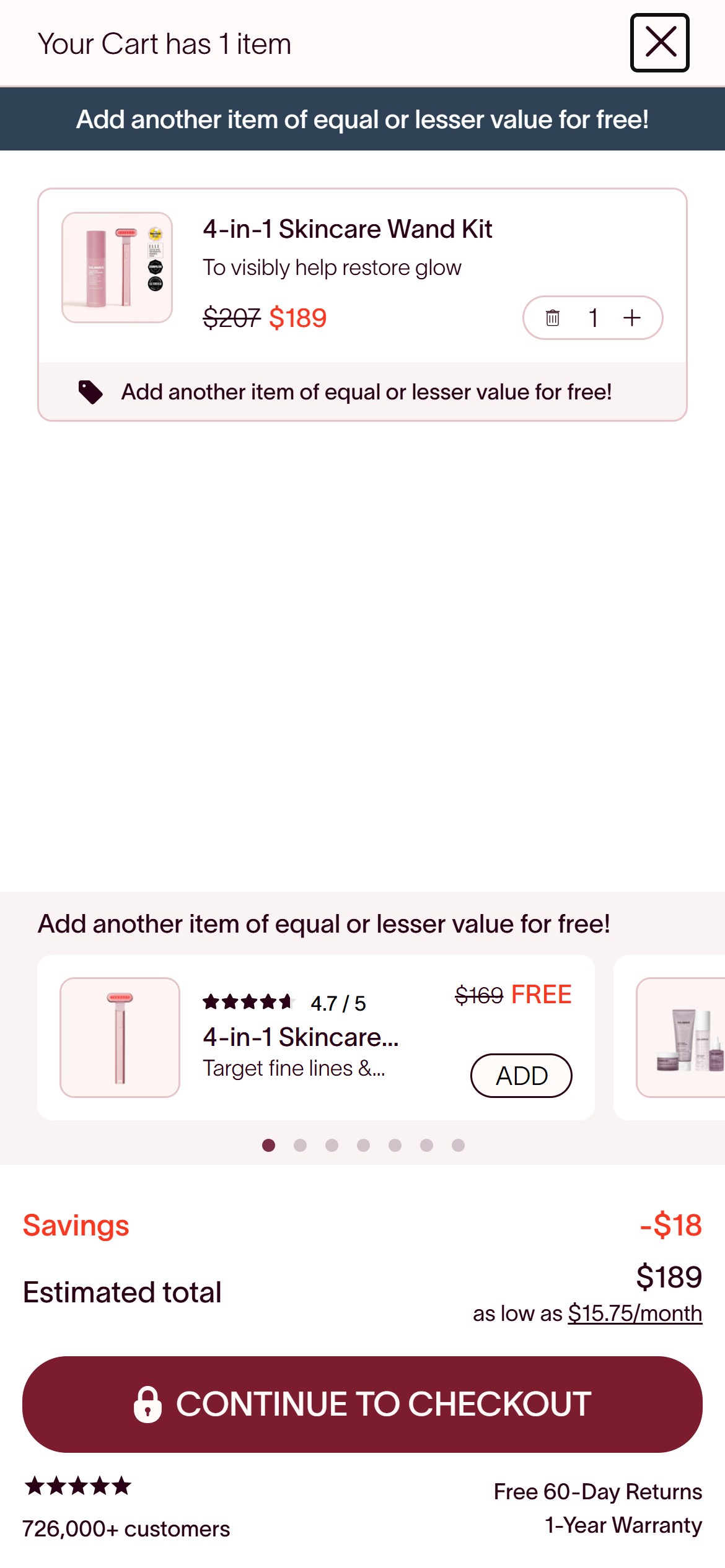
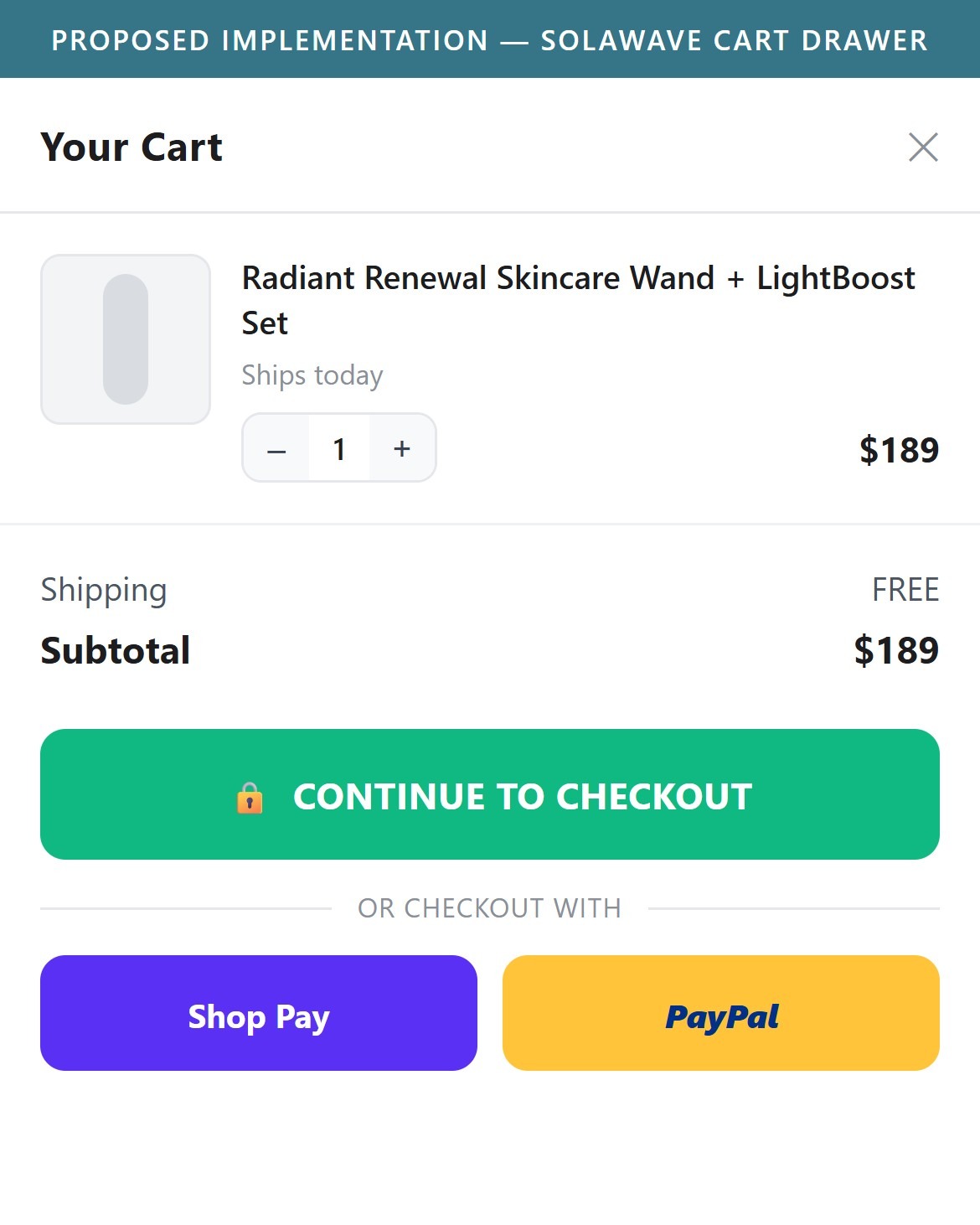
- The fully-visible cart drawer shows a single 'CONTINUE TO CHECKOUT' button with a lock icon — no Shop Pay, Apple Pay, Google Pay, or PayPal express button appears in the drawer, even though all 5 are listed as accepted payment logos in the site footer.
- Solawave's own storefront already loads Shop Pay's platform scripts (shop.app / shopify_pay assets), so the integration exists at the account level — it simply isn't surfaced as an express option before the shopper reaches full checkout.
- On a $189-399 considered purchase where Affirm financing is already promoted on the PDP, an express wallet button in the cart is a low-friction way to convert shoppers who don't want to re-enter address and card details.
- Add Shop Pay and PayPal express-checkout buttons directly beneath 'Continue to Checkout' in the cart drawer.
- Keep the standard checkout button as the primary path, with express options as a secondary row — matching the payment logos already promised in the footer.
App Ecosystem
What's installed vs what's missing from best-in-class Beauty & Personal Care stores
Present (12)
Missing (2)
App Stack Assessment
Solawave runs a modern, well-instrumented Shopify Plus stack: Okendo reviews, native Shopify subscriptions, Affirm financing, and a custom BOGO cross-sell extension are all present and working. Two retention-facing app categories -- live chat and a loyalty program -- are not detected and are recommended additions given the brand's large existing customer base and repeat-purchase topical line.
Confidential — Prepared for Solawave by Growisto | September 2026